Copy This Note
Copy This Note is an Obsidian plugin for copying a whole note to the clipboard as Markdown. You can copy from the command palette or context menus without selecting the entire note by hand.
It includes presets for copying the body only, adding the filename, adding Properties / YAML frontmatter, or including both. It is handy when you want to paste a note into email, docs, issues, chat, or an AI assistant while keeping useful context.
Main Features
- Copy the current note from the command palette
- Copy from file explorer and editor context menus
- Copy unopened notes directly from the file explorer
- Choose presets for including the filename and/or YAML frontmatter
- Works on Obsidian desktop and mobile
- No network access and no telemetry
How To Use
Run one of these presets from the command palette:
Include filename and metadataInclude filenameInclude metadataBody only
The same presets are available from context menus:
- File explorer: right-click a note and choose
Copy this note: ... - Editor: right-click inside the editor and choose
Copy this note: ...
For a one-keystroke workflow, assign your own hotkey in Obsidian’s hotkey settings.
Screenshots
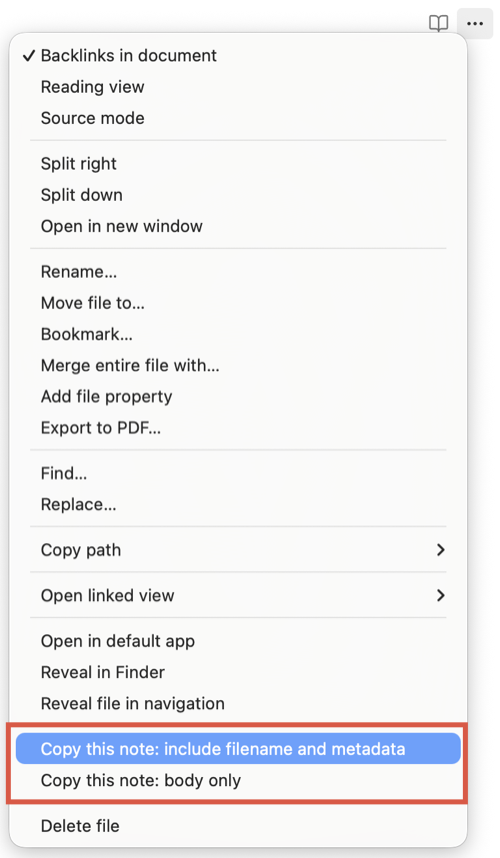
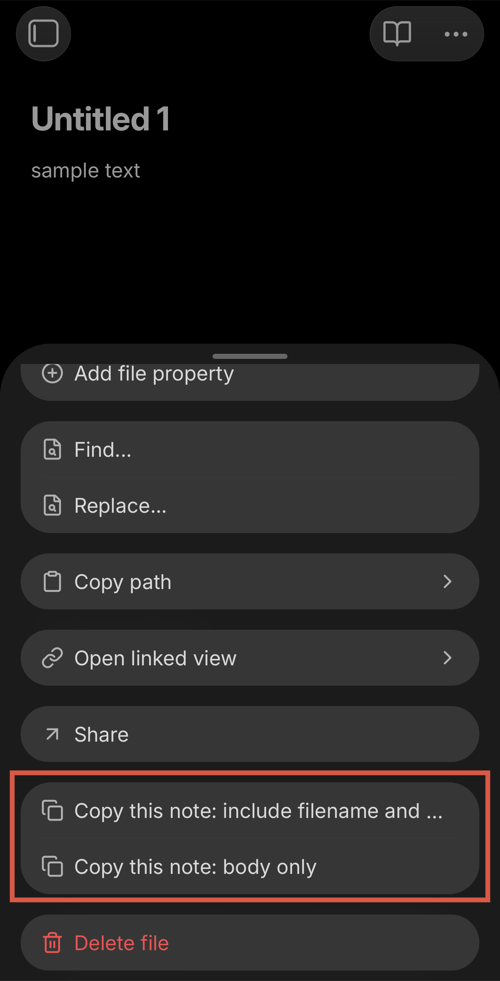
Presets
| Preset | Copied content |
|---|---|
Include filename and metadata |
Filename + YAML frontmatter + body |
Include filename |
Filename + body |
Include metadata |
YAML frontmatter + body |
Body only |
Body only |
In this plugin, metadata means YAML frontmatter, which is how Obsidian stores Properties.
It does not generate extra Obsidian metadata such as backlinks, file statistics, or cached tag lists.
Show output example
For a note named My note.md with Properties, Include filename and metadata copies content like this:
My note.md

---
tags: [project-x, meeting]
created: 2026-01-18
---

This is the body.
Installation
Install the plugin in either of these ways:
- From Obsidian: Open Settings → Community plugins → Browse, search for
Copy This Note, then install and enable it. - From the Community site: Open the Copy This Note Community Plugin page and select
Add to Obsidian. Obsidian opens so you can install the plugin.
Privacy And Compatibility
The plugin reads notes from the current vault and copies them to the clipboard. It has no network access, no telemetry, no ads, no account requirement, and no paid features. It does not modify your notes.
- Obsidian 1.8.0+
- Desktop and mobile
- License: MIT